

Prerequisites
To use the Autofix Flaky Tests feature, you’ll need:- Beta access via waitlist (reach out to us at support@trunk.io)
- The “Investigate Flaky Tests” setting enabled in your workspace
- Active installation of the Trunk GitHub App
The “Investigate Flaky Tests” setting can only be changed by organization admins.

Auto-Investigate Flaky Tests
Once enabled, any time that Trunk detects a flaky test, Trunk analyzes the failure patterns, failure output, and git history of the test to provide a number of insights.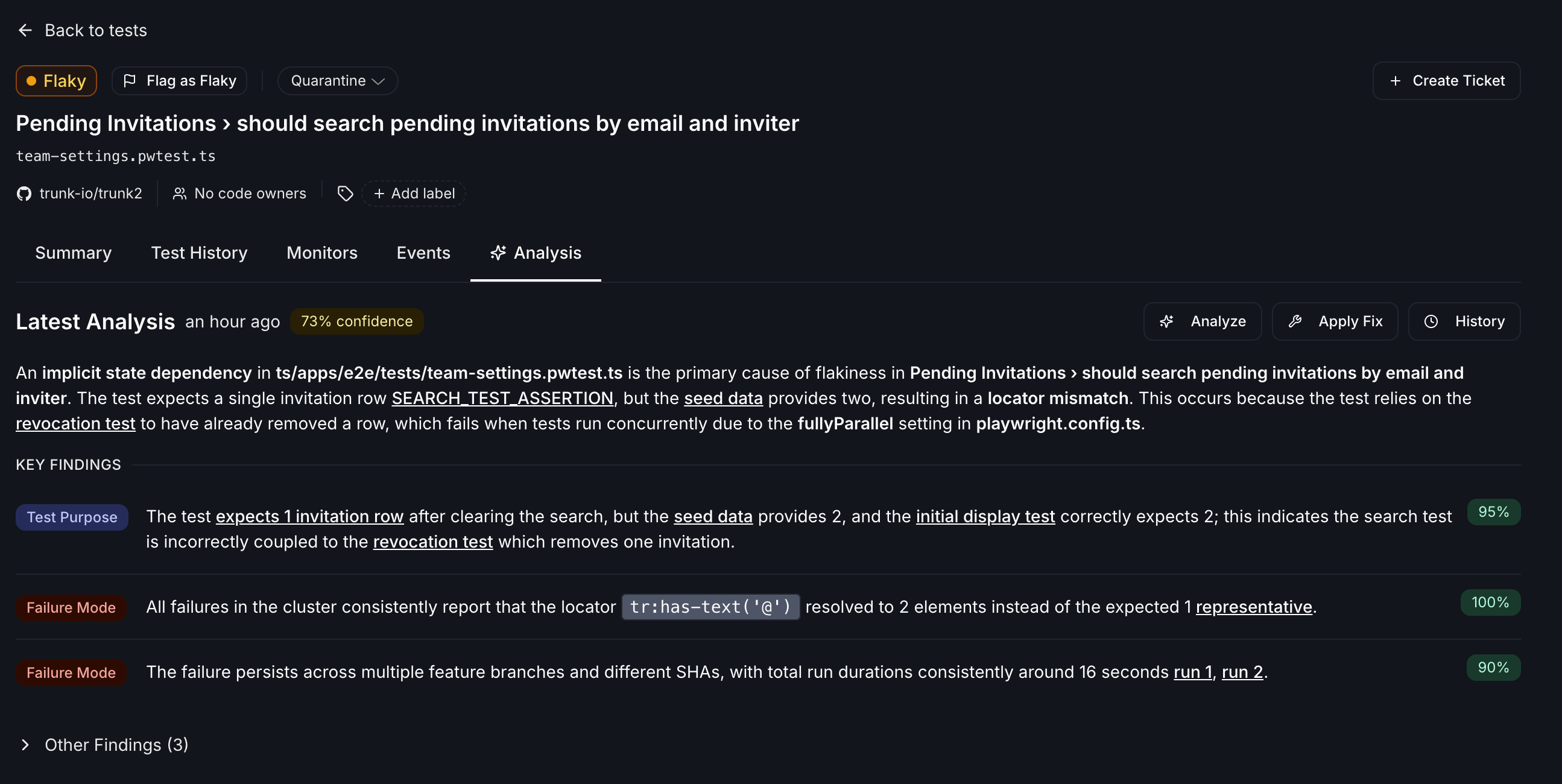
Skipped and failed analyses
When Trunk skips or fails an analysis, the Analysis tab shows a banner explaining what happened. Common reasons an analysis is skipped:- Monthly analysis limit reached. Your repository has used all available analyses for the current billing period. The banner shows how long ago the skip occurred.
- Analysis already in progress. A previous run is still queued; Trunk skips a new one to avoid duplicates.
Autofix with Cursor Automations
Whenever an investigation is completed, Trunk will emit a webhook fortest_case.investigation_completed. Enable webhooks via Svix.
You can then set up a Cursor Automation to trigger when webhooks are received.
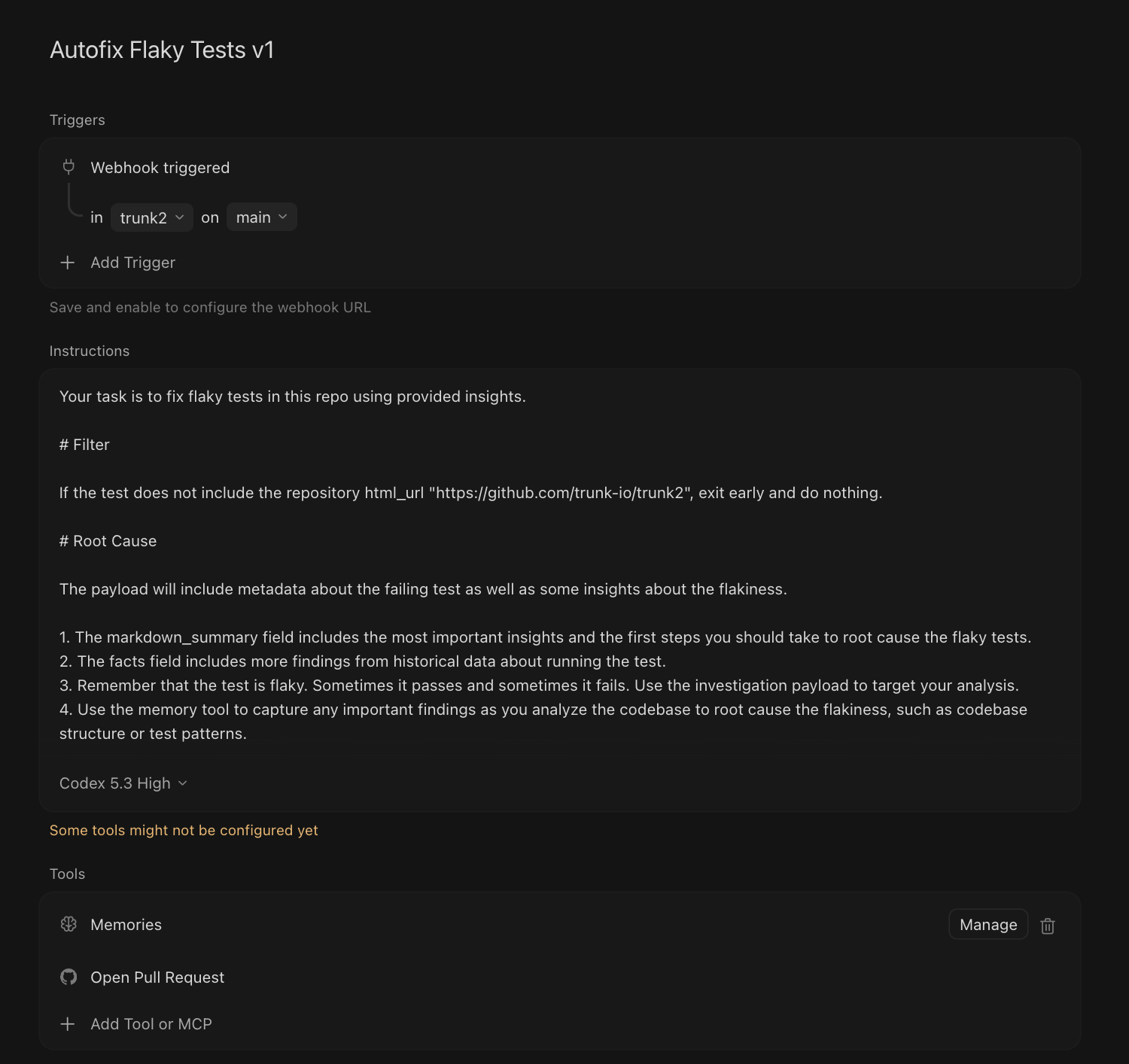
Recommended Cursor Automation Config
Recommended Cursor Automation Config
- Version your Automation names for more clarity.
- Configure the Svix endpoint with the Cursor Bearer token.
- Webhooks are configured for your entire organization, so you will need to use Svix transformations or filter out events that are not for your intended repository.
- Be specific about conventions and antipatterns for your repository. You will need to refine the Automation prompt to suit your needs.
- If your CI setup allows it, prompt Cursor to run the tests to verify them.
What’s next?
- Continue to monitor your tests to confirm the flaky test fixes are effective
- Investigations can be triggered and applied via MCP
Coming soon. Set up Claude Routines to autofix flaky tests